How MagicSword Stops ClickFix Across Windows, macOS, and Linux
ClickFix doesn't deliver malware, it convinces the user to paste the command themselves. No attachment to scan, no exploit to patch. Here's how MagicSword stops the attack across Windows, macOS, and Linux at every stage of the chain, before the payload gets a chance to run.
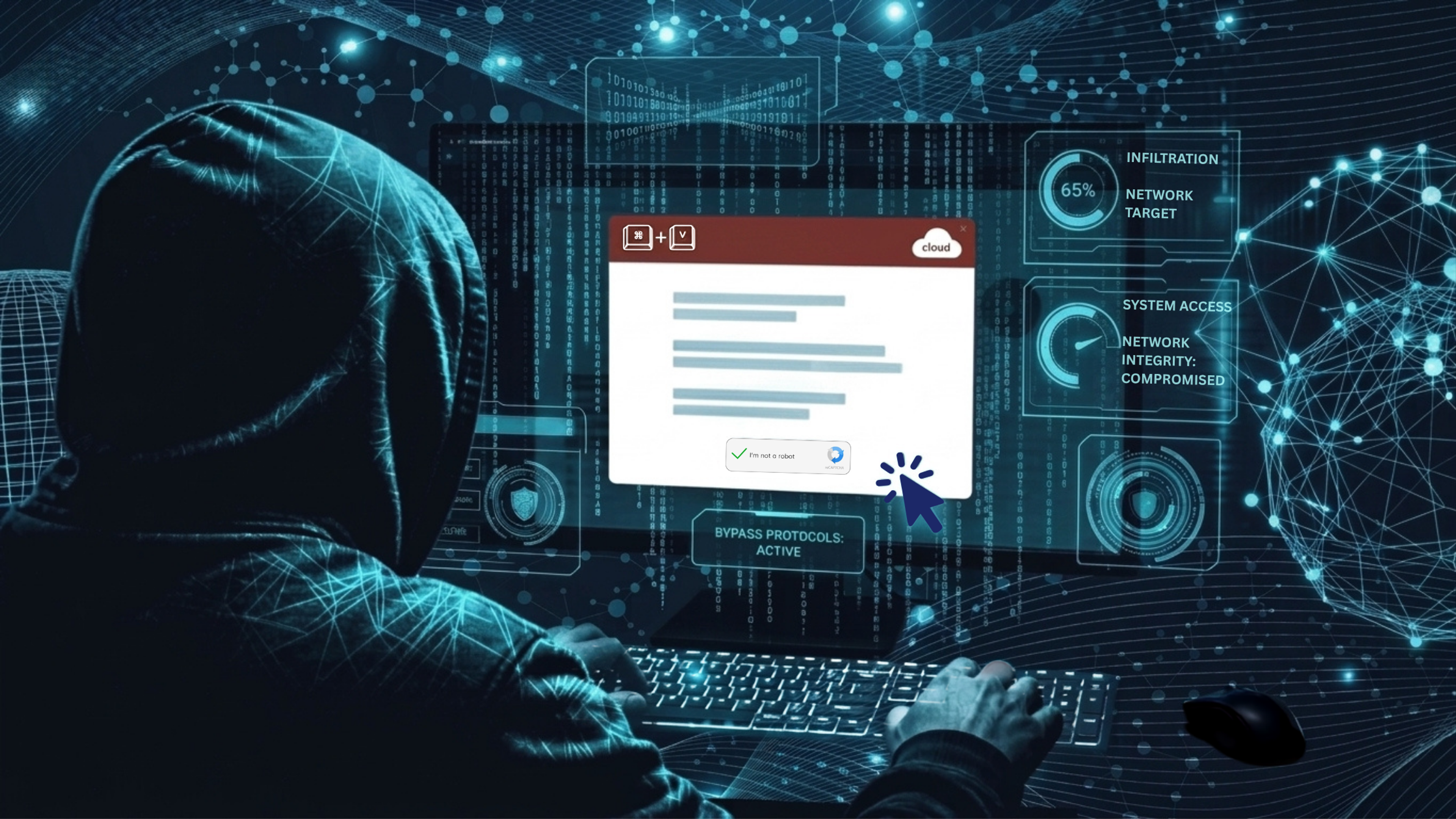
The controls that matter when a user pastes an attacker's command
ClickFix works because the attacker does not have to deliver a traditional attachment. The victim carries the command across the last boundary for them.
A fake CAPTCHA, browser error, meeting prompt, document repair message, or software-install guide tells the user to open a trusted system interface and paste a command. On Windows, that may be the Run dialog, PowerShell, Windows Terminal, File Explorer, or a native binary such as mshta.exe. On macOS, it is usually Terminal, osascript, curl, or a shell. On Linux, it may be a shell opened from a fake support page, with a download-and-execute chain hidden behind a supposed fix.
There may be no malicious attachment to scan or exploit to patch. The first executable may be signed by Microsoft or Apple and already present on every endpoint. In isolation, that executable looks legitimate. Its use in the surrounding chain, a browser handing work to a command interpreter, remote content being decoded, and an unknown payload starting from a writable directory, tells a different story.
MagicSword changes this by controlling execution according to the device's role and the context around the process. We do not wait for the last payload in the chain to establish a malware reputation. We use application control, script inspection, threat intelligence, and behavioral enforcement at several points between the lure and the final payload.
This is the approach we take at MagicSword:
- Inventory the tools an attacker can borrow. Map LOLBAS, LOLDrivers, LOLRMM, Sysinternals, GTFOBins, LOOBins, script hosts, remote-management tools, abused signers, and executable user-writable paths against what each device role actually needs.
- Stop predictable execution. Block the interpreters, LOLBins, paths, publishers, hashes, and parent-child combinations that serve no business purpose on that device.
- Constrain the tools that must remain. Keep PowerShell, shells, browsers, developer tools, and administrative utilities available in the contexts where people use them, while limiting what untrusted scripts and unexpected parents can do.
- Inspect the script and connect the events. Use AMSI and cross-event correlations to expose download cradles, encoding, obfuscation, bypass attempts, staging, persistence, and credential theft.
- Stop the next stage. When the first native tool has to remain available, prevent the unsigned, unapproved, trojanized, or incorrectly launched payload that follows.
We are beginning to describe this broader operating model as MagicSword Prevention: reduce the available execution paths up front, retain visibility into the paths the business still needs, and block the follow-on stages when an attacker finds a way past the first control. It gives organizations a practical way to stop ClickFix without labeling every native utility as malicious or assuming that every user will recognize the lure.

ClickFix is an execution technique, not a single payload
MITRE ATT&CK now tracks malicious copy and paste as T1204.004 across Windows, macOS, and Linux. Its detection guidance describes the pattern defenders repeatedly see in the wild: a browser or document leads to a command interpreter, an obfuscated one-liner retrieves or decodes content, a transient file may appear in a user-writable directory, and an outbound connection follows.
Campaign operators continually refresh the screen the victim sees. One week it is a Cloudflare verification page; the next it is a meeting error, a document repair prompt, or a fake software guide. Underneath that screen, the command still has to move through a recognizable sequence:
manufactured problem → user-assisted paste → trusted interpreter or native utility → download/decode → payload execution → credential theft, persistence, remote access, or lateral movement
The attack works because the user performs the paste. Controls built around email attachments, browser downloads, Mark of the Web, or exploit behavior may never see a conventional delivery event. Microsoft reported in its 2025 ClickFix analysis that the technique was being observed on thousands of enterprise and consumer devices every day, with campaigns extending beyond Windows to macOS. The Microsoft Security analysis also documented the range of malware delivered after that initial paste.
ClickFix is therefore best understood as an initial-access and execution pattern. What comes next may be an infostealer, loader, RAT, ransomware precursor, credential-harvesting script, or hands-on-keyboard intrusion.
Focusing the entire defense on the fake CAPTCHA leaves the most useful control points uncovered. The page gets the user's attention; the process, script, and payload chain is where defenders can make a reliable decision.
The summer 2026 receipts
ClickFix has continued to diversify across platforms, lures, and follow-on payloads. Reporting from June, July, and early August 2026 shows how those chains developed and where endpoint controls could have interrupted them.
Here is the three-month flow in one view. The exact payload shifts by campaign, but the defensive checkpoints are easy to see.

June: macOS chains moved from Terminal paste to fileless theft and persistent access
On June 17, Netskope published analysis of a macOS campaign in which ClickFix lures delivered a gzip-compressed, base64-encoded AppleScript stager. The victim-facing command used curl and piped the retrieved content to osascript. The initial chain remained fileless until the malware established persistence. It then harvested browser data, sessions, Keychain material, and wallet information while installing persistent remote access. Netskope observed 25 short-lived lure domains associated with the activity and victims across Asia, North America, and Oceania.
Later that month, another reported macOS variant used a fake CAPTCHA to download a disk image into /tmp, mount it without normal Finder interaction, and launch a malicious app or installer. The delivered Atomic macOS Stealer family targeted browser data, credentials, and cryptocurrency assets.
From an endpoint-control perspective, the file type is less important than the boundaries the chain crossed. Both campaigns used a shell or osascript, a network retrieval utility, a temporary location, an execution or mount action, and follow-on credential access. Those are practical places to audit or block regardless of the stealer family involved.
July: Windows ClickFix became a full intrusion chain
On July 16, Cisco Talos disclosed UAT-11795, a financially motivated campaign whose initial access was assessed as potentially ClickFix. The chain used mshta.exe to run a weaponized remote HTA, embedded VBScript to drop a batch file into a user-profile temporary directory, and trojanized installers carrying a Python loader and Starland RAT. The actor then used PowerShell for a heavily obfuscated, in-memory C2 framework called WLDR. Follow-on behavior included persistence, reconnaissance, credential and wallet theft, shell execution, and delivery of additional EXE, MSI, DLL, and shellcode payloads.
That campaign also answers a question we hear often: What if an organization cannot block the first tool? If mshta.exe is unnecessary for the device role, application control can deny it at the first gate. When a business requirement keeps it available, the defender still has several opportunities to interrupt the chain: detect or block suspicious HTA behavior, inspect script content, catch the script-to-shell relationship, prevent the trojanized installer from running, constrain PowerShell, detect scheduled-task or Run-key persistence, and correlate the reconnaissance and credential-access activity.
Also in July, Group-IB documented ClickLock, a modular macOS stealer assessed with high confidence to be delivered through ClickFix-style social engineering. It needed neither an exploit nor elevated access to begin. The malware simulated Cloudflare verification, demanded the user’s macOS password, harvested browser, wallet, password-manager, Keychain, shell-history, and FTP data, and installed persistence and a backdoor. Group-IB reported at least 100 victims across 33 countries, with more than half in Europe.
Fortgale supplied an equally valuable operational detail: one corporate Mac user retried the malicious command three times after the first attempts were blocked. The path began with SEO poisoning and a fraudulent GitHub page, then moved through a shell download, base64 and gzip decoding, eval, and osascript before attempting to deploy MacSync. The controls held on every retry.
That retry behavior is worth planning for. A warning that can be clicked through or a one-time detection may fail on the second or third attempt; an enforced process relationship produces the same deny decision each time.
August: the public data still shows the same execution primitives
As of August 10, public reporting for the month is still developing, but the most recent ClickGrab data shows that the underlying ingredients remain abundant.
ClickGrab analyzes suspected ClickFix infrastructure and maintains a library of known execution techniques. Its August 10 nightly snapshot analyzed 100 sites and classified 40 as suspicious. Across that bounded snapshot, its scanner surfaced 18 PowerShell command indicators, 52 clipboard-manipulation indicators, 18 fake-Cloudflare indicators, 15 high-risk command indicators, 415 base64 strings, and 445 steganography indicators.
Those values are scanner signals, not confirmed victim counts, and several indicators can occur on the same site. That distinction matters. Even with that limitation, the mix is instructive: clipboard manipulation, trusted command hosts, encoding, obfuscation, and fake verification remain central to the ecosystem.
The inventory will continue to grow, but those entries keep resolving to a manageable set of execution relationships: which process started, who launched it, what command it received, where the next file appeared, and whether that file was allowed to run.
Windows: deny the first gate, inspect the script, stop the payload
Windows ClickFix campaigns often abuse binaries that are legitimate, signed, and already installed. Hash-only detection has little to say about that first step, and a blanket statement such as “PowerShell is trusted” does not account for how the process is being used. We start with a more useful set of questions:
- Should this user or device be allowed to launch this binary at all?
- Should this parent process be allowed to launch it?
- Is the command retrieving remote content, decoding data, or hiding execution?
- Is the script trying to bypass AMSI, logging, Defender, or constrained language?
- Is the next binary approved by policy?
MagicSword addresses each question at a different point in the chain.
MagicSword Application Control: prevention at the Windows execution boundary
On supported modern Windows devices, MagicSword Application Control manages App Control for Business. It can enforce organization-wide policy using signer, publisher, filename, hash, path, reputation, managed-installer, and other trust decisions.
For a ClickFix chain, that policy can make an early, concrete decision. If mshta.exe, wscript.exe, cscript.exe, or another high-risk host has no business purpose on a device, deny it there. On a finance workstation, kiosk, or shared endpoint with a well-defined role, that can stop the pasted command cold before a downloader ever runs. A downloaded or trojanized installer that is not trusted should not execute, and a user-writable path that should never launch code should be treated accordingly.
Microsoft recommends App Control over AppLocker where organizations can deploy it, and notes that App Control is treated as a Windows security feature while AppLocker remains a legacy application-control technology.
Most organizations cannot remove PowerShell. Administrators, developers, deployment systems, and management products depend on it, and disabling the executable usually creates a support problem without removing every other script host an attacker could use.
MagicSword Application Control takes a more workable route. Trusted, approved scripts can retain the language features they need, while untrusted PowerShell is blocked or placed in Constrained Language Mode (CLM), depending on the policy and platform. CLM removes access to many .NET, COM, arbitrary API, in-memory, and reflective-loading capabilities that make a pasted one-liner so useful to an attacker. The copied command may still start PowerShell, but it has a much smaller set of actions available to it. Microsoft's PowerShell and App Control guidance explains how PowerShell recognizes an enforced application-control policy and applies those language restrictions.
Moving a real script estate into that model takes preparation. CLM-Forge is our open-source readiness toolkit for teams adopting WDAC Script Enforcement and Constrained Language Mode. It inventories scripts, identifies language and policy conflicts, tests them in a constrained runspace, and produces the evidence teams need to remediate a script or approve it by signer, path, or hash. This lets an organization preserve full PowerShell where the work is trusted and deliberate while sharply limiting what an untrusted command copied from a browser can do.
Inventory the living-off-the-land surface
The LOLBAS project documents legitimate Windows binaries and scripts that can be abused for download, execution, compilation, persistence, or defense evasion. ClickFix campaigns have used many of them because a trusted binary creates less friction than a brand-new executable.
MagicSword brings LOLBAS together with LOLDrivers, LOLRMM, Sysinternals, signer and driver intelligence, and the cross-platform GTFOBins and LOOBins catalogs. The inventory gives defenders a starting point for deciding which native binaries, drivers, remote-management utilities, interpreters, and common administrative tools belong on each device role. It also keeps the conversation broader than PowerShell: ClickFix operators can switch to mshta.exe, rundll32.exe, msiexec.exe, script hosts, URI handlers, or whichever approved utility still provides a route to the next stage.
The inventory informs policy and investigation, while behavior-aware correlations distinguish a binary merely existing from that binary fetching remote content, launching a shell, or being blocked repeatedly. A bare mshta.exe event provides one piece of context. Remote retrieval, inline script, a shell child, and repeated denied attempts tell an analyst how it was actually being used.

AMSI: inspect the content inside an allowed script host
The Antimalware Scan Interface, or AMSI, gives PowerShell and other script-capable Windows applications a standard way to submit content to an antimalware provider. Application control decides whether the host or payload is allowed to execute; AMSI gives the provider a view of the script content being handed to an allowed host.
The MagicSword AMSI Provider uses two complementary rule sources. MagicSword-managed rules let us ship new coverage as campaigns and bypass methods change. Customer-managed rules let a security team enable, tune, or add patterns for its own environment. The provider receives versioned updates and hot-swaps the active ruleset without requiring the organization to rebuild its MagicSword Application Control policy. In practice, the application list changes deliberately, while script detections often need to move at threat-research speed.
At the time of writing, MagicSword ships 238 AMSI detection rules covering PowerShell, VBScript, JScript, .NET, WMI, and Office macro activity. Relevant ClickFix coverage includes:
- download cradles and web-request aliases;
- encoded-command parameter variants and base64 decoding;
Invoke-Expressionand string/character obfuscation;- in-memory and reflective execution;
- AMSI, ETW, logging, and Defender bypass attempts;
- credential access, persistence, discovery, lateral movement, and C2 patterns.
AMSI can run in audit or block mode, with configurable thresholds and Microsoft verdict handling. Teams can observe the rules first, measure their environment, tune patterns that need local context, and then enforce high-confidence script behavior. New MagicSword coverage and customer-specific rules can follow the same review path.
Attackers actively mutate strings, split tokens, patch memory, and move work into alternate interpreters, so AMSI cannot carry the whole defense. We use it beside MagicSword Application Control, behavioral correlation, and next-stage payload controls. If one layer misses a variation, the chain still has to cross the others.

If the first binary must remain, keep controlling the chain
Return to the UAT-11795 chain. If a business requirement prevents a blanket block of mshta.exe, MagicSword still has multiple control points:
- Correlate remote or inline HTA execution and
mshta.exespawning a shell. - Inspect VBScript or PowerShell content through AMSI where the hosting path participates in AMSI.
- Detect batch and temporary-directory staging.
- Block the trojanized installer or unapproved Python loader with application control.
- Detect or prevent the PowerShell download cradle, encoded content, or bypass behavior.
- Correlate scheduled-task, Run-key, startup-link, reconnaissance, wallet discovery, credential access, and additional payload execution.
The campaign has to clear every one of those execution boundaries to succeed. That gives the defender several enforceable decisions after the original user action instead of placing the entire outcome on a single detection.
macOS: control the process relationship
macOS ClickFix makes heavy use of utilities that cannot simply disappear from a managed fleet: Terminal, zsh, bash, curl, osascript, hdiutil, and open.
Blanket blocks on those tools would break normal administration and developer workflows. MagicSword Spawn Control Rules, SCRs, address the problem at the relationship level, so an approved terminal workflow can continue while a browser-driven chain is denied.
An SCR can consider the parent, child, ancestor chain, executable path, bundle identity, signing identity, team identity, and command-line arguments. That permits controls such as:
- block a browser or Office application spawning a shell or
osascript; - block
osascriptlaunching a shell that retrieves remote content; - block a shell invoking
osascriptfor a hidden credential prompt; - block execution from
/tmpor another user-writable staging location; - block a script interpreter launching a persistence utility;
- audit clipboard theft while denying high-confidence credential prompts;
- allow a native tool under an approved terminal or management parent while denying the same child under a suspicious ancestor.
Ancestry matters because attackers add indirection. osascript may start a shell, the shell may start curl, and the downloaded content may launch another interpreter. MagicSword tracks multiple levels of ancestry so the original browser or suspicious process remains part of the decision even after several handoffs.
On macOS, the MagicSword system extension evaluates these decisions through Apple’s Endpoint Security framework at AUTH_EXEC. In enforce mode, a matching deny rule can stop the process before execution. In audit mode, the same decision is logged and allowed so teams can validate impact before turning on enforcement.
Consider curl: a direct invocation from an approved terminal or management agent may be routine. The same utility appearing under a browser-triggered, obfuscated chain, feeding content to osascript, staging material in /tmp, and leading to a hidden password prompt has a very different purpose. SCRs let the policy account for that context.
The recent macOS campaigns line up directly with the available controls:
- Netskope’s fileless AppleScript chain: intercept the
curl/shell/osascriptrelationship, remote-content arguments, or suspicious ancestry before the stealer reaches credential access. - The
/tmpDMG chain: block or audit execution from temporary paths and correlatehdiutil,open, and follow-on application execution. - ClickLock: stop shell-to-
osascriptcredential prompts, persistence creation, backdoor tooling, and suspicious archive/exfiltration behavior. - MacSync: block the staged execution path and correlate Keychain, browser-data, wallet, archive, and outbound
curlactivity.

Linux: the same intent model, adapted to the enforcement backend
Public Linux ClickFix reporting remains thinner than Windows and macOS reporting, but the technique is real. In 2025, Hunt.io documented an APT36-aligned site that fingerprinted the visitor’s operating system and delivered different instructions. Windows visitors were directed into an mshta.exe chain; Linux visitors were instructed to open a command interface, download a shell script, mark it executable, and run it. At the time of analysis, the Linux branch appeared less mature and ultimately opened a decoy image, but the delivery pattern was explicit.
In 2026, researchers continued to observe traffic-distribution systems presenting OS-specific ClickFix content. Malwarebytes reported a TrafficTDS kit capable of serving different lures and payload paths to Windows, macOS, Linux, and Android visitors.
The Linux branch uses a familiar group of tools and paths:
curlorwgetretrieves content;- a pipe feeds
bash,sh, Python, Perl, or another interpreter; - base64, gzip, or hexadecimal encoding hides the next stage;
/tmp, /var/tmp, /dev/shm, memfd,or/proc/.../fdprovides transient or fileless staging;chmodturns a staged file into an executable;- cron, systemd, shell profiles, or package-manager hooks provide persistence;
- GTFOBins offer legitimate utilities that can become execution, escape, or exfiltration primitives.
MagicSword applies the SCR model on Linux with parent-child matching, command-line conditions, ancestry, deny or audit actions, path and package policy, and strict or blocklist posture. Available rules cover download tools spawning shells, execution from temporary locations, reverse-shell patterns, LD_PRELOAD injection, persistence behavior, supply-chain hooks, container escape surfaces, and GTFOBins intelligence.
Linux enforcement timing depends on the active backend. On supported systems using fanotify permission events, MagicSword can return a deny before the program runs. Its eBPF LSM path provides fast in-kernel decisions for native rule types. Context-heavy SCR decisions that require userspace ancestry or command analysis are re-evaluated and terminated after launch, which leaves a small timing window, and the procfs fallback is reactive by nature. We document that difference so operators can select the strongest available backend, test high-risk rules, and understand exactly what “block” means on each Linux deployment.

Correlation turns individual events into attack intent
A single process event rarely tells the full story. ClickFix is a sequence, and MagicSword’s correlation rules are designed around that sequence.
Correlation rules provide the analytics layer, connecting endpoint events, intelligence matches, and follow-on behavior for alerting and investigation. Enforcement comes from MagicSword Application Control, AppLocker compatibility policies, AMSI blocking, standard path/hash/publisher policy, and macOS or Linux SCR deny decisions. We use both layers: prevention at the executable decision point and correlation across the activity that remains.
| Attack stage | Windows coverage | macOS coverage | Linux coverage |
|---|---|---|---|
| User moves from lure to command host | Explorer-to-CMD, Office-to-script, Windows Terminal, PowerShell, mshta.exe lineage | Browser/Office-to-shell or osascript, Terminal-to-scripting lineage | Browser or shell lineage, interpreter ancestry |
| Retrieve and execute | PowerShell download cradles, BITS, CertUtil, CertReq, rundll32, mshta.exe, WebDAV | curl/wget through shell or AppleScript, script download-and-execute | curl/wget piped to shell, remote URL plus interpreter |
| Hide the command | Encoded PowerShell, obfuscated CMD, AMSI bypass, base64 decode | Base64 decode, AppleScript indirection, transient scripts | Base64 decode, shell obfuscation, fileless execution |
| Stage the payload | %TEMP%, %APPDATA%, unapproved MSI/EXE/DLL | /tmp, mounted DMG, user-writable path | /tmp, /var/tmp, /dev/shm, memfd, /proc/.../fd |
| Persist or steal | Run keys, scheduled tasks, startup links, credentials, wallets | LaunchAgents/Daemons, Keychain, browser data, wallets, clipboard | LaunchAgents/Daemons, Keychain, browser data, wallets, clipboard |
| Abuse native tooling | LOLBAS, LOLDrivers, LOLRMM, Sysinternals, and signer intelligence | LOOBins and macOS path intelligence | GTFOBins and package/path intelligence |
Correlation turns a low-context statement such as “we saw curl” into an account of the activity: a browser-triggered script used curl to retrieve encoded content, executed it from a temporary location, accessed credentials, and created persistence. That sequence is far more useful to an analyst than the process name by itself.
Roll out prevention without breaking the business
We recommend building toward durable enforcement in stages. An aggressive day-one policy can disrupt legitimate work and create broad exceptions that remain long after the rollout. MagicSword supports a more measured operating model:
- Choose by device role. A developer workstation, finance endpoint, kiosk, jump host, and shared server should not have identical execution policy.
- Start in audit. Observe which binaries, scripts, paths, parent-child relationships, and intelligence rules would affect normal activity.
- Review the exceptions. Allow what the role genuinely needs. Avoid broad exclusions that silently restore the attacker’s path.
- Enforce high-confidence controls first. Start with unused script hosts, known-dangerous user-writable paths, revoked or malicious signers, unapproved payloads, and narrowly scoped SCR relationships.
- Layer AMSI and correlation. Preserve visibility into allowed interpreters and the next stage.
- Measure retries and drift. Repeated blocked execution, policy drift, stale endpoints, and bypass attempts tell the team where users, attackers, or systems are pushing against the policy.

This follows the doctrine we laid out in The Top 10 Techniques Haven’t Changed in a Decade: stop detecting what you can stop; detect what you cannot safely prevent; and keep tightening the execution surface as evidence improves.
Put the decision at the execution boundary
ClickFix succeeds because most security programs place too much trust in three things:
- the user chose the action;
- the binary is native or signed;
- the first command did not look like malware yet.
ClickFix operators deliberately manufacture all three conditions. MagicSword evaluates the execution context that follows: which process launched which child, what arguments were used, what content the script exposed, where the payload was staged, whether its identity is trusted, what intelligence applies, and what happened next.
On Windows, MagicSword Application Control or an AppLocker compatibility policy can remove the initial LOLBin path where operationally possible. CLM can limit an untrusted pasted command, AMSI can inspect the script content when a host must remain, and application control can stop the unapproved next stage. Correlations expose persistence, credential access, reconnaissance, and repeated attempts.
On macOS, Endpoint Security and SCRs can deny the browser-to-shell, osascript-to-download, credential-prompt, and temporary-execution relationships that modern stealers depend on.
On Linux, SCRs, path and package policy, fanotify/eBPF enforcement, and correlations for pipe-to-shell, fileless execution, temporary staging, and GTFOBins abuse apply the same model with platform-appropriate controls.
Future campaigns will replace the CAPTCHA, move from the Run dialog to File Explorer, swap PowerShell for mshta.exe, or replace a Terminal one-liner with a mounted DMG. They still have to turn the user's action into a running process and carry that process through staging, persistence, and theft. MagicSword Prevention is built to give defenders several chances to deny that transition across Windows, macOS, and Linux, before the infostealer or RAT gets the opportunity to do its job.
Want to see what's actually running on your endpoints before the next campaign hits?
Sign up free - Free up to 100 endpoints
Book a demo - Try Enterprise free for 14 days

Written by
Michael Haag
Threat Researcher
In the intricate chessboard of cybersecurity, my role oscillates between a master tactician and a relentless hunter. As an expert in detection engineering and threat hunting, I don't just respond to the digital threats, I anticipate them, ensuring that the digital realm remains sovereign.


