The RMM Your Blocklist Hasn’t Met
An RVTools intrusion sent us looking beyond the usual RMM vendors. 15 research leads became 14 proposed LOLRMM additions, with a few reminders along the way that filenames, product labels, and whole-file hashes do not tell the whole story.
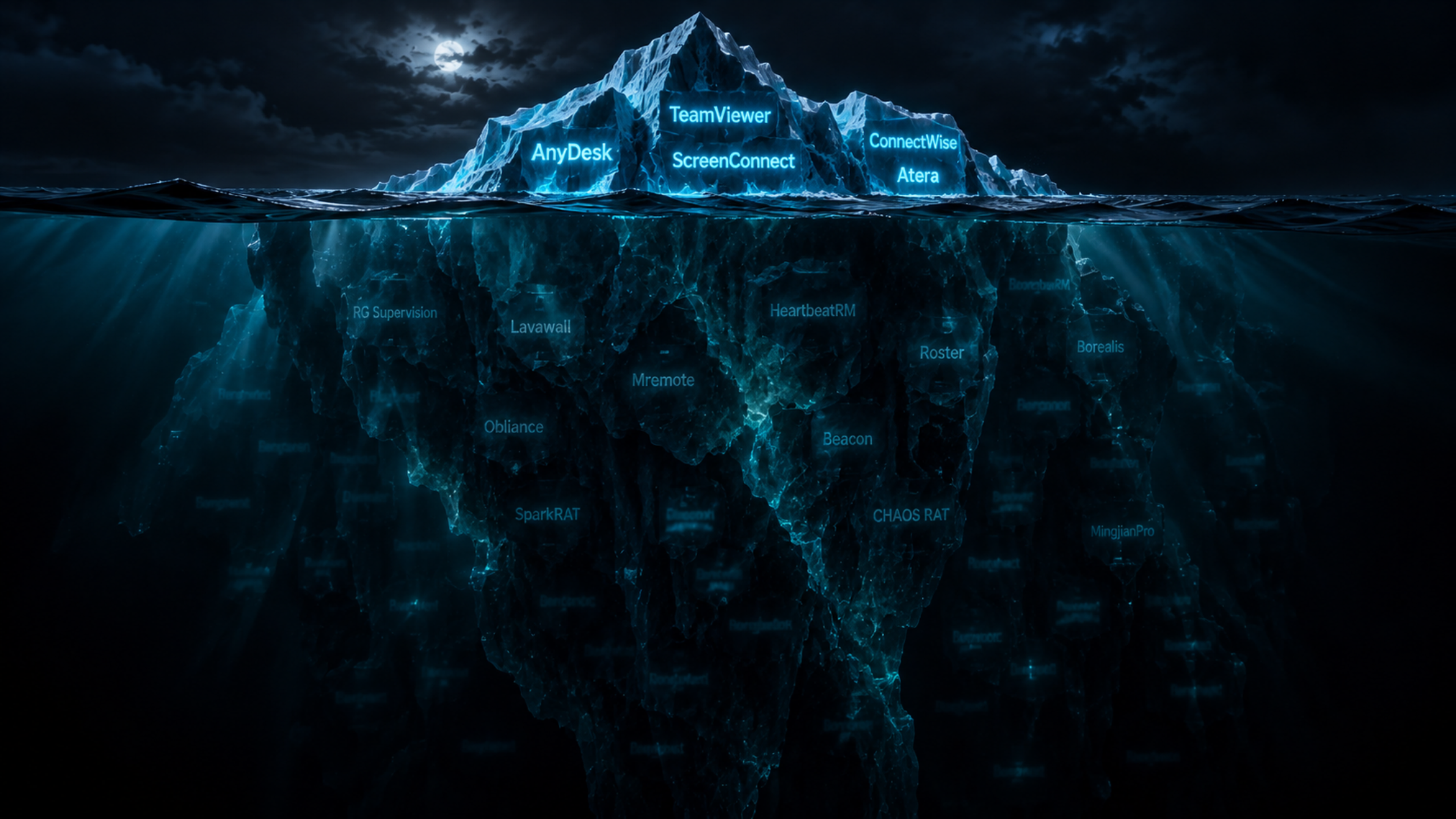
Threat Hunting Labs and MalBear Labs documented more than a familiar remote-support product in their RVTools SEO-poisoning investigation. Alongside Level, the case involved custom RMM-style agents and other access tooling. We added the custom agents to LOLRMM through PR #252, then kept digging into a question the case left us with: how much remote-management software sits outside the names we already know to look for?
Our earlier fake-Adobe research followed misleading filenames back to the products underneath them. The RVTools case pushed us further into smaller projects, personal repositories, and self-hosted management panels, where identifying an agent meant spending more time with its implementation. We wanted to know what the software could do, how it was packaged, and what an analyst could use to recognize it on an endpoint.
Fifteen research leads produced 14 proposed catalog additions, submitted in LOLRMM PR #254. The entries cover remote-management software, endpoint-management platforms, and remote-access frameworks, with evidence ranging from source-backed installation artifacts to published abuse reporting. We were documenting gaps in the catalog, not announcing 14 new abuse campaigns. For organizations blocking the remote-support products they do not use, the question is what happens when the next agent comes from somewhere outside that list.
A panel, an agent, and somebody else’s server
Several of the projects let whoever deploys them control the backend and configure the endpoint agent that calls home. Command execution and file transfer are familiar management functions, but the connection does not have to pass through a commercial vendor’s infrastructure. With the controller running on infrastructure chosen by the operator, a hunt built around known vendor domains may have nothing to match.
OpenUEM, Roster, Borealis, and Obliance were among the projects we reviewed. Minexus uses a Nexus controller and Minion agents. Beacon from Synertek runs its production backend on operator-controlled Cloudflare services; despite the name, it is unrelated to Cobalt Strike Beacon.
The repositories ranged from projects with maintained releases and cross-platform installers to smaller experiments with only part of an agent implemented. We checked the implementation and packaging before recording capabilities. IceNet still had placeholders in its registration and command handlers, so it didn’t make the proposed additions. We needed implemented capabilities behind the entry, not just a feature list.
Running your own management infrastructure is a legitimate choice, and we did not establish adversary use of every project in this research. Adding the software to LOLRMM gives an analyst a way to recognize it and check whether the deployment belongs in the organization. An unfamiliar developer name is a reason to investigate the software, not accuse the developer.
Where the abuse is already documented
Hunt.io’s January 2025 SparkRAT investigation examined macOS activity it associated with a suspected DPRK campaign, following earlier fake-meeting reports. The researchers described a payload saved as pull.bin and a com.second.startup.plist persistence artifact, although the hosting examined in that investigation did not expose the earlier meeting pages. Those filenames belong to the activity Hunt described; treating them as mandatory defaults would leave out SparkRAT builds that use something else.
Acronis documented malicious use of CHAOS RAT, including a Linux archive named NetworkAnalyzer.tar.gz. Its name suggested a network-utility lure, but the report did not establish how the archive reached its targets.
The proposed entries classify SparkRAT and CHAOS as RATs and keep that abuse reporting attached to those frameworks. Neither report gives us a basis to extend its campaign claims to OpenUEM, Roster, or the other management projects in the submission. Each entry needs to stand on its own evidence, whether that is a documented intrusion or an installer that tells us how to identify the software.
Four different files, one compiled section set
Our RMMCRAT review began with two Windows files recorded as rmm444561.exe and rmm.exe, following the family documented in the original intrusion research. A related hash pivot added r564.exe and rmm_client_user-444566.exe, giving us four executables to compare without running them.
Although every file had a different whole-file SHA-256, all seven PE section hashes matched across the set. The import hashes, Rich-header hashes, structural fingerprints, and RMMCRAT-specific markers agreed as well. Configuration data and padding accounted for the differences rather than a different compiled section set.
The original pair differed at 41 byte positions in a 221-byte configuration overlay. The larger file carried a configuration prefix followed by 25,848 null bytes. A hunt for one of those whole-file hashes would not match the other three, even though their compiled sections were identical. Comparing the sections preserved that connection, with the matching structural properties and configuration layout providing support beyond a shared import hash.
We treated the four as related RMMCRAT builds without assigning all of them to the original intrusion or inferring victims from the file count. The recorded names did not establish a Zoom, Adobe, or DocuSign delivery theme either. The RMMCRAT variant notes include the complete hashes and comparison for researchers who want to follow the relationship themselves.
Endar’s .exe was a Linux binary
Endar publishes a release asset called endar.exe, which turned out to be a Linux x86-64 ELF executable packaged with PyInstaller and Python 3.8. Static inspection of the bundled code identified an endpoint agent with registration, policy, and compliance functions. We documented the Linux artifact we inspected rather than filling out a Windows entry from the extension or inheriting the README’s broader platform claims.
An assumed Windows installation path would have sent an analyst looking in the wrong place. Before recording platform-specific services or directories, we need evidence from the package or installation code; a support matrix alone does not tell us where the agent lands. In this case, checking the file format kept the catalog from pointing defenders at the wrong operating system.
Two unfamiliar names led back to Spark
One Windows executable identified its Go entry point as MingjianPro/client, with none of the literal Spark/client, SPARK COMMIT:, or /api/client/update strings present. Its renamed package tree still exposed paths such as client/core, client/service/terminal, and client/common, alongside matching connection, command-dispatch, and terminal functions. Comparing that combination against the pinned Spark source supported a modified Spark lineage despite the changed module name and dependencies.
The second Windows executable used Rocket/client and retained explicit Spark identifiers alongside desktop, terminal, file, process, and command-handling components. It contained WinUpdateSvc, UpdateService.exe, and rocket_client.log as well. We recorded those as hunting leads, with no execution evidence to show that a service had been installed or delivery evidence to establish an update-themed phishing campaign.
Both remained Spark-derived variants in our assessment rather than becoming new product entries for MingjianPro and Rocket. The code comparison did not establish a separate vendor for either name, a shared operator, or an exact source revision. The static-lineage notes include both sample hashes and the source comparison behind that assessment.
A static Spark detection that requires SPARK COMMIT: or /api/client/update would miss the reviewed MingjianPro file. Both remain useful strings for Rocket, but the comparison gives us a reason to keep package structure and application-specific symbols in the analysis when those upstream identifiers are gone.
Follow what the installer leaves behind
An installer delivered under an unrelated filename may still create a recognizable service, configuration file, directory, or launchd job. We reviewed implementation files and packaging scripts for the proposed entries so an analyst could follow those artifacts back to the software, with supporting sources available to check the relationship. The resulting entries give defenders more to work with than a product name and a generic agent executable:
| Project | Artifact to investigate | Why it is useful |
|---|---|---|
| Roster | C:\ProgramData\Roster\agent.yaml; roster-agent service | Product-specific configuration location and service identity from the installer and agent source. |
| Synertek Beacon on Windows | BeaconAgent; C:\ProgramData\Beacon\agent.log | Windows agent identity and a product-scoped logging location. |
| Synertek Beacon on macOS | /Library/LaunchDaemons/com.beacon.agent.plist | A platform-specific installation artifact. |
| Obliance on Linux | /opt/obliance-agent/; obliance-agent.service | Installation directory and systemd service identity. |
| SparkRAT | HTTP user-agent prefix SPARK COMMIT: | A protocol clue when retained; not a requirement for every Spark-derived build. |
Sources: Roster, Synertek Beacon, Obliance, and F5’s SparkRAT analysis. The proposed entries link the implementation evidence behind the artifacts.
A product-specific directory, service identity, or configuration gives an analyst more to work with than agent.exe or port 443 alone. Someone rebuilding the agent can still change those defaults, so use them alongside the code evidence and surrounding endpoint activity rather than expecting any one name to identify every build.
When a candidate turns up, check where the executable came from, what installed it, which service or task appeared, where it connects, and whether it starts a shell or transfers files. Compare that with the remote-management software your organization has approved. Recognizing the product still leaves you needing to establish who authorized that particular deployment and who controls the other end.
The next agent may not have a product page
Beyond the familiar RMM vendors sits a mix of self-hosted management panels, smaller open-source projects, and custom agents that deserve the same attention from defenders. An adversary does not need a polished product or a recognizable company behind it to get value from remote command execution and file transfer. A modified framework or a bespoke agent can serve that purpose, leaving an analyst to work out what arrived, where it came from, and who controls it.
MingjianPro had lost Spark’s obvious identifiers, but the package relationships and application-specific functions still gave us a way to connect it to the framework. The four RMMCRAT files had different whole-file hashes yet identical compiled sections. Looking past the labels preserved relationships we would have missed by treating every unfamiliar name or changed hash as a separate tool.
As adversaries change what they deploy, the useful question is how those changes affect what we can recognize and block. A new name may conceal familiar code, while a modified build may require a fresh look at the artifacts we previously relied on. Keeping pace means checking those assumptions against the files and the source, then testing whether the resulting coverage still holds.
The 14 proposed additions put more of that knowledge into LOLRMM, where researchers and security teams can follow the sources, test the artifacts, and contribute what they find. At MagicSword, we want that evidence to help teams investigate unexpected agents and make better-supported blocking decisions, without each team having to reverse-engineer the same file all over again.
We’ll keep digging into the smaller projects, renamed forks, and custom builds, because the next useful finding may start with a file that does not fit an existing catalog entry. Publishing the implementation details and showing our work lets other teams put that finding to use in their own environments. The next agent may be a one-off. What we learn from it shouldn’t be.
Thanks to Threat Hunting Labs and MalBear Labs for the intrusion investigation and reverse engineering that started this thread. The catalog submission is available for review, along with the sample comparisons behind the findings.
Sample references
The VirusTotal links identify the selected files. The section-hash and code-lineage findings come from our static comparison; a sample record is not proof of a deployment or campaign.
RMMCRAT variant notes
Family background: MalBear Labs’ original analysis and LOLRMM PR #252. The four-file comparison is our follow-up research, not a claim that all four files participated in the reported intrusion.
| Recorded filename | SHA-256 / VirusTotal |
|---|---|
| rmm444561.exe | ec269df72d504b1db662e1b48a09663f520f536daf0109c23dab0fb6d0e8ab9f |
| rmm.exe | b73b3383c32254a3224618b38129a5b6b29508bb02fb71bcbbe0e14f16cad606 |
| r564.exe | 99c09ebde1ae365ab383a1d857614ceb9b9f2caffa35713eab6193c6b07bb1cf |
| rmm_client_user-444566.exe | fe03546d0d28ff893c64ecd32ade6defb3ba88912a48f5846a2da8c2c2816d68 |
Selected structural identifiers from the static comparison:
| Structural identifier | Value |
|---|---|
| Import hash | 4a5cfa20924c4ae28c4f3239b4435837 |
| Rich-header hash | b88bb67af296230f5dabe6f61be828dc |
| .text section SHA256 | 327c7fd4721dcdfc24fd7028675d076e847bd9fb844b06e34049b303a60b55a4 |
| .rdata section SHA256 | 197d1481e9859851a4099ad35cdd6a1efd8546e601ed50ebc0fe788b110cdf6c |
The comparison recorded identical hashes for all seven PE sections. The original pair differed at 41 byte positions in a 221-byte configuration overlay; the larger file carried a configuration prefix followed by 25,848 null bytes. No file was executed, and enrollment-token values are omitted.
Static-lineage notes
| Observed Go entry-point namespace | SHA-256 / VirusTotal |
|---|---|
| MingjianPro/client | 311549b046414628d50f69305901b2f28cc6f452cc63cb0d52c3e9c9280c5f54 |
| Rocket/client | 6d6a892507eaedfe90f410e4e4970f72c0cd1581ece67677ee643d3a29eea61b |
The source comparison is pinned to Spark commit e2c8ce153d8494f7f1aa9999bfd86eef1bc6be79: client lifecycle, action dispatcher, Windows terminal implementation, connection helpers, and utility functions.
MingjianPro retains matching application-specific package relationships and terminal/control symbols despite removing the obvious Spark identifiers. Rocket retains explicit Spark markers alongside its renamed namespace and matching application-specific handlers. Both files were inspected statically. The comparison does not establish an exact fork revision, shared operator, campaign, or separate vendor.
The next agent may not have a product page. MagicSword is free for up to 100 endpoints, deploy in audit mode, see what’s running, and start blocking what shouldn’t be there. Get started free.

Written by
Michael Haag
Threat Researcher
In the intricate chessboard of cybersecurity, my role oscillates between a master tactician and a relentless hunter. As an expert in detection engineering and threat hunting, I don't just respond to the digital threats, I anticipate them, ensuring that the digital realm remains sovereign.


