Compare
ThreatLocker Alternative
ThreatLocker controls what you approve. MagicSword blocks what attackers abuse.
ThreatLocker is a serious default-deny platform. If your team wants to approve every executable, manage every exception, and contain approved apps through Ringfencing, that model can work.
Most breaches do not start because the attacker brought obviously malicious software. They start because trusted tools, signed drivers, RMM clients, installers, scripting engines, and Microsoft-signed binaries are available in places they do not need to be. MagicSword turns that abuse research directly into policy.
17+
intelligence sources
2 hr
intelligence refresh
Agent or WDAC agentless
deployment options
Strict or hybrid
control models
The Difference
Trust Management vs Abuse Prevention
The real question is not whether allowlisting is good or bad. It is where your control model starts. ThreatLocker starts with approved software. MagicSword starts with attacker behavior, then lets you layer explicit allows wherever the business actually needs them.
Primary model
ThreatLocker
Default-deny allowlisting. Approve what can run.
MagicSword
Control the tools attackers abuse and allow the software your business needs.
Starting question
ThreatLocker
What software has the organization approved?
MagicSword
Which execution paths, drivers, tools, and signers are attackers weaponizing?
Policy inputs
ThreatLocker
Learning mode, built-ins, admin approvals, Ringfencing decisions, and Detect response policy.
MagicSword
Live intelligence, endpoint audit data, role context, explicit allows, and targeted exceptions.
Trusted-tool abuse
ThreatLocker
Possible to restrict through allow and deny rules, Ringfencing, and detection policy when the team maps the abuse path.
MagicSword
Built around known abuse paths from LOLBAS, LOLBins, LOLRMM, LOLDrivers, LOLExfil, EDR killers, and abused signers.
BYOVD
ThreatLocker
Requires teams to identify and deny risky drivers, installers, or toolchains.
MagicSword
Uses driver intelligence for vulnerable and malicious drivers, hashes, certificates, and publishers.
RMM abuse
ThreatLocker
Can block unapproved tools when policy already denies them.
MagicSword
Helps permit the RMM tools you use and block rogue remote access tools before they become a session.
Deployment
ThreatLocker
Agent-centered endpoint enforcement.
MagicSword
Lightweight agent where useful, or Windows WDAC artifacts for PowerShell, GPO, ConfigMgr/SCCM, and Microsoft Intune delivery.
Best fit
ThreatLocker
Teams committed to strict default-deny allowlisting and the approval workflow that comes with it.
MagicSword
Teams that want prevention against trusted-tool abuse without making every endpoint a constant allowlist project.
Where Traditional Allowlisting Still Leaves Hard Questions
Default-deny helps with unknown software. The harder problem is trusted software being used in ways the business never intended. That is where most teams need more than another approval workflow.
Learning mode learns your environment
It can show what already ran during the baseline period. It cannot, by itself, tell you which trusted binaries are being abused this week in ransomware, intrusion, and hands-on-keyboard tradecraft.
Trusted software can still be weaponized
Microsoft-signed utilities, scripting engines, installers, admin tools, RMM clients, and signed drivers may all be legitimate in narrow workflows. They do not need to be usable everywhere.
Ringfencing is still policy design
Restricting what approved apps can access is useful. The hard part is deciding which parent-child relationships, files, registries, networks, and exceptions matter before an incident.
BYOVD lives between signed and safe
Bring Your Own Vulnerable Driver attacks abuse legitimate signed drivers with known weaknesses. Stopping that requires current knowledge of abused hashes, certificates, publishers, and driver families.
RMM abuse is not a corner case
Attackers increasingly use remote management tools for persistence and access. The practical question is which tools your team authorizes, on which endpoints, and which tools should never establish a session.
Agent strategy matters
Some endpoints should run an agent. Some environments need to reduce agent sprawl. MagicSword supports both patterns so policy can move through the stack the business already trusts.
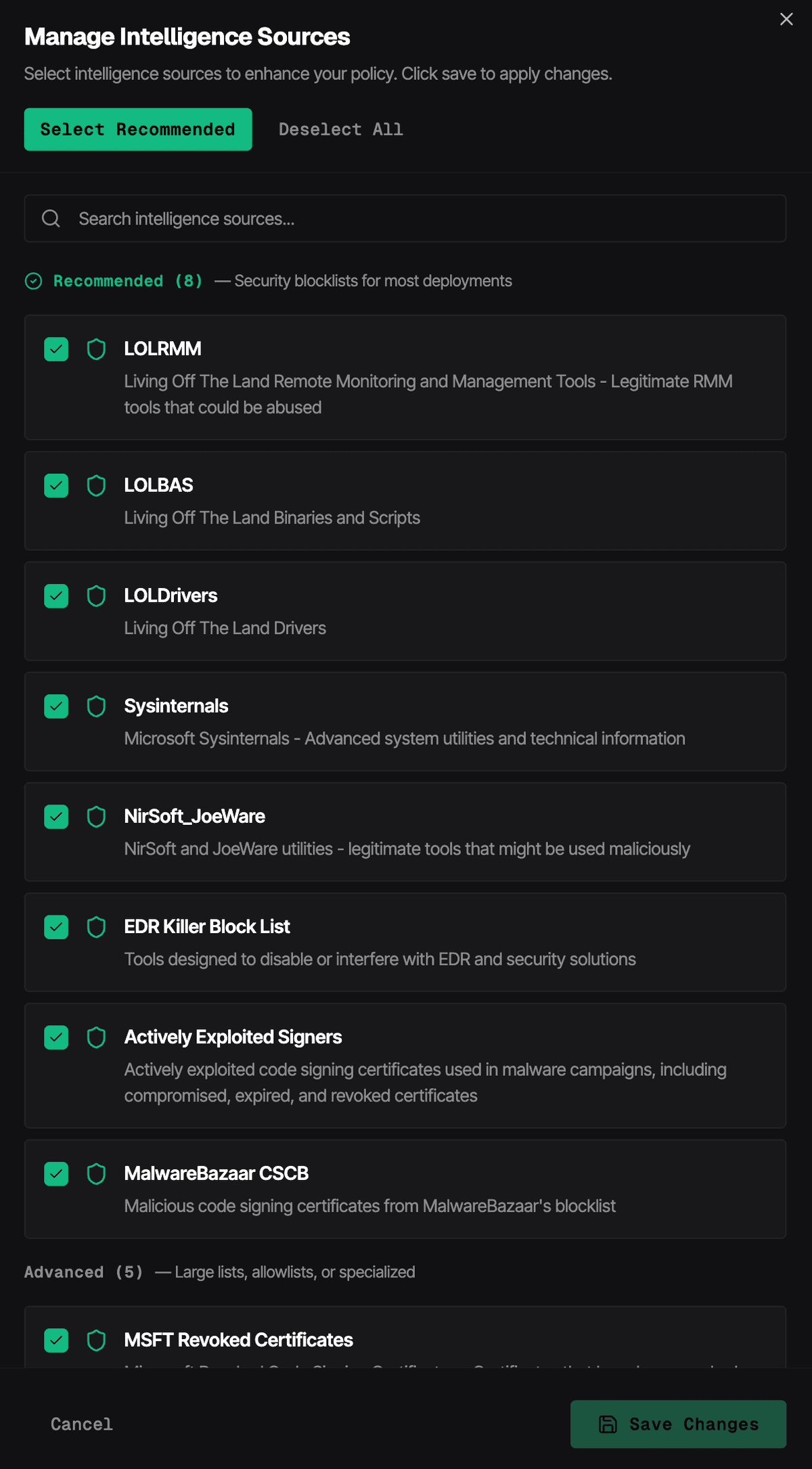
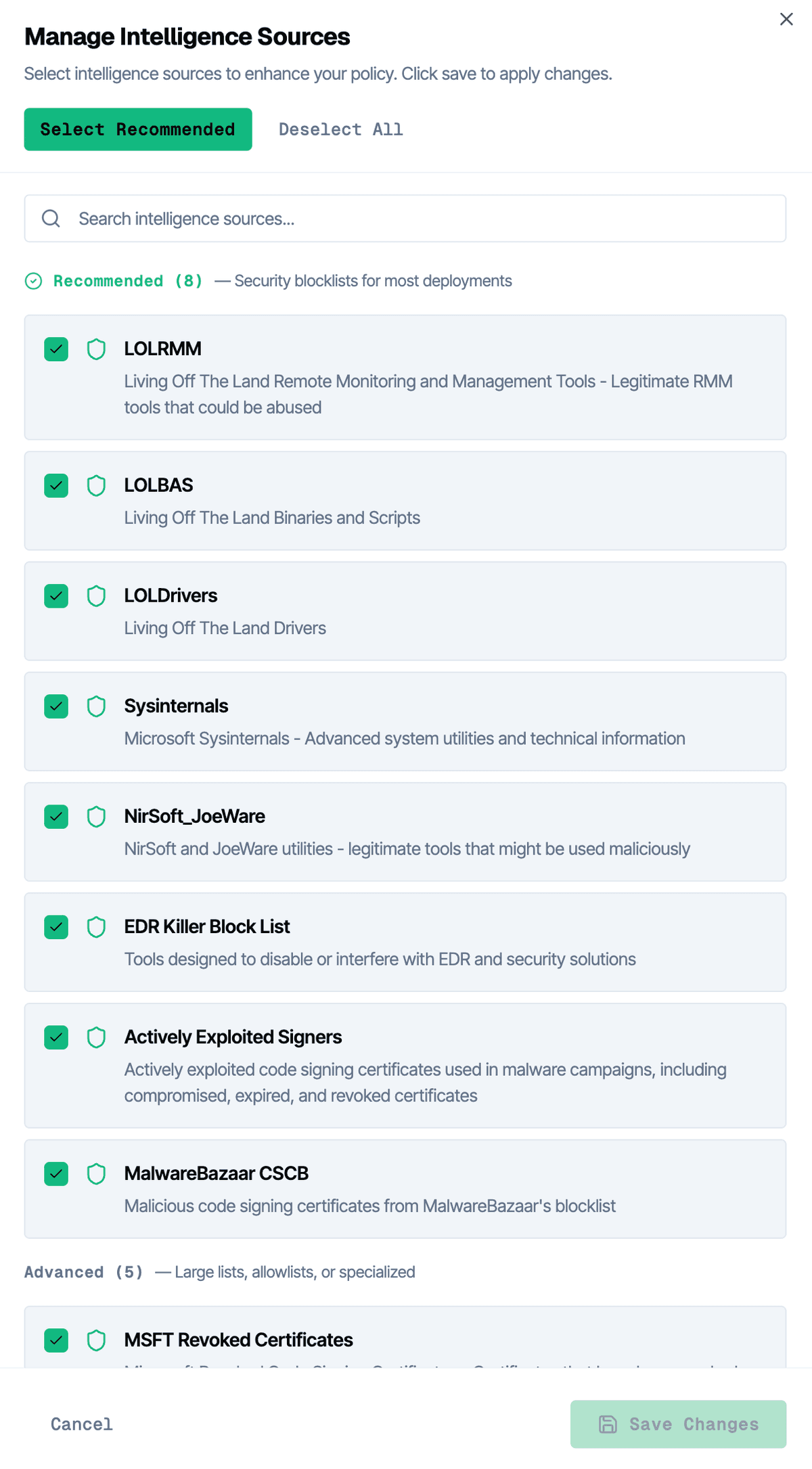
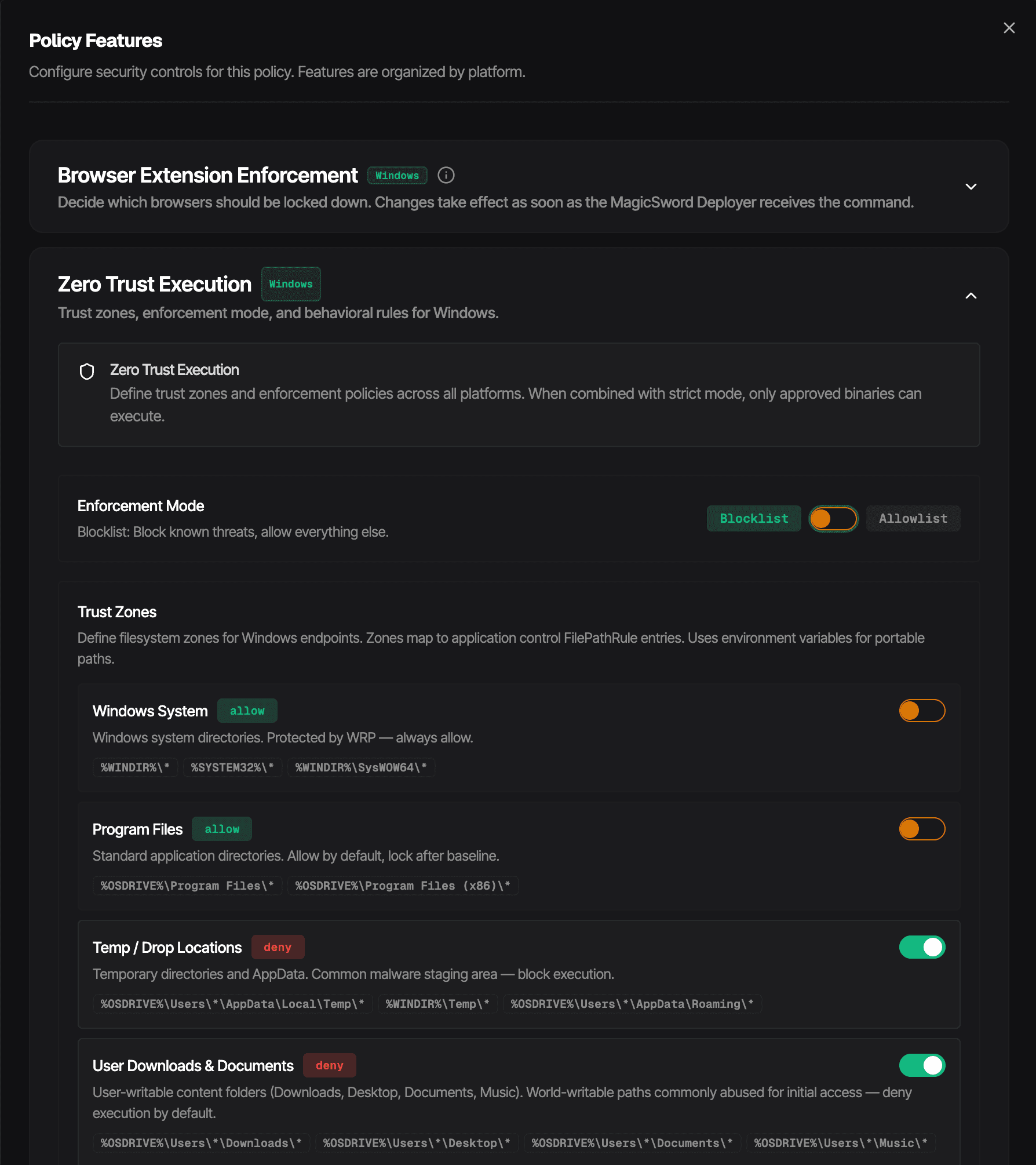
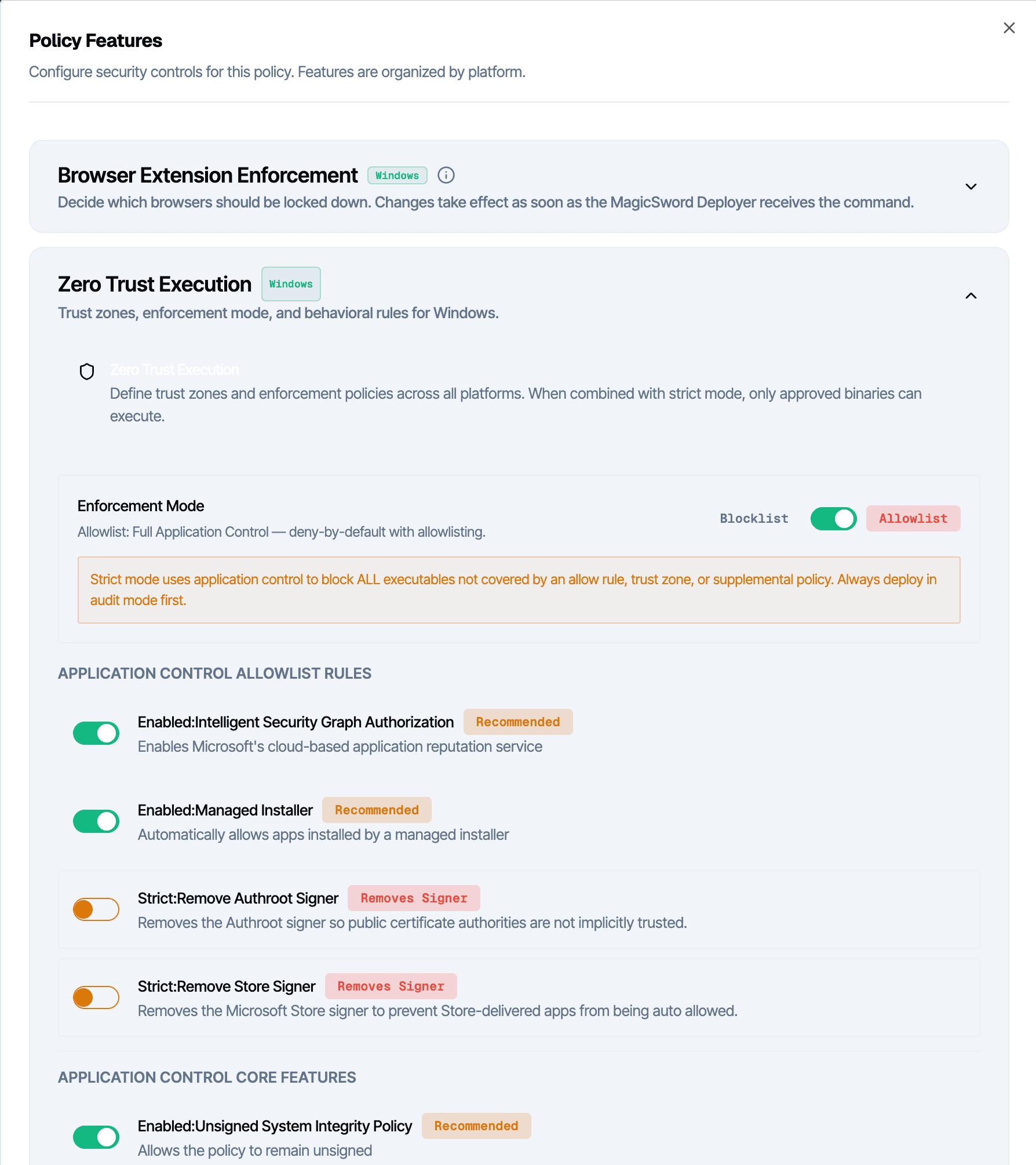
Platform
Use the Control Model the Endpoint Deserves
MagicSword is not locked into a single philosophy. Some systems deserve strict default-deny. Some should start in audit with targeted blocks. Many enterprises land on a hybrid model because it matches how the business actually works.
Threat-driven blocklisting
Start by denying the tools, drivers, signers, and execution paths with real abuse history. Keep business software moving while removing attacker options.
Strict allowlisting
Use default-deny where it belongs, such as kiosks, high-control servers, regulated segments, or modern Windows WDAC deployments that require explicit allows.
Hybrid control
Run broad threat-driven blocks across the fleet, then add explicit allow rules and stricter zones where endpoint data proves the workflow is stable enough.
Trusted Does Not Mean Usable Everywhere
Most organizations trust Microsoft. Attackers know that. Tools like mshta.exe, wscript.exe, regsvr32.exe, rundll32.exe, msiexec.exe, certutil.exe, bitsadmin.exe, and PowerShell can be legitimate in the right workflow and unnecessary everywhere else.
MagicSword helps you find the endpoints and roles that actually use those paths, keep the real exceptions, and remove the rest before an attacker gets to choose.
Proof Points
Evidence Beats Philosophy
A clean application-control strategy should be explainable to security, IT, auditors, and the people who have to live with it. MagicSword ties policy decisions to research, telemetry, and measured business need.
LOLBAS without guessing
MagicSword production telemetry found that 52.3% of measured LOLBAS catalog entries had zero process sightings over a 60-day window. That turns a vague debate into a policy decision.
RMM control with context
LOLRMM intelligence helps teams distinguish the remote tools they actually use from the remote tools attackers drop for persistence, command and control, or hands-on access.
Driver abuse covered
LOLDrivers maps vulnerable and malicious drivers to hashes, certificates, CVEs, publishers, and real-world abuse so signed driver trust does not become blind trust.
Allowlisting without the drag
A German public-sector customer runs an agentless hybrid allow-list and block-list model across 1,100 endpoints with a 30-minute review cycle every one to two weeks.
ThreatLocker Is Strong When
- →The organization wants full default-deny as the central operating model
- →The help desk is staffed for approval requests and exception review
- →Teams are ready to design and maintain Ringfencing policy for approved apps
- →Every endpoint can carry the agent-centered enforcement model
MagicSword Is Strong When
- →The real priority is stopping the tools attackers use after access
- →You want policy generated from live intelligence and endpoint evidence
- →You need agent or agentless deployment options
- →You want allowlisting where it fits and threat-driven blocks everywhere else
FAQ
Frequently Asked Questions
Is MagicSword a ThreatLocker replacement?
It can be, depending on the goal. ThreatLocker is strong for organizations that want strict default-deny approval workflows. MagicSword is built for teams that want application control driven by attacker behavior, endpoint evidence, and explicit exceptions where they make sense.
Does MagicSword support allowlisting?
Yes. MagicSword supports strict allowlisting, threat-driven blocklisting, and hybrid models. The practical difference is that you do not have to force every endpoint into full default-deny just to stop the abuse paths that drive most modern intrusions.
Why is threat-driven control different from Ringfencing?
Ringfencing contains what an approved application can do. Threat-driven control starts earlier by identifying which binaries, drivers, signers, RMM tools, and execution paths attackers repeatedly abuse, then turning that research into policy.
Can MagicSword run without another endpoint agent?
Yes. MagicSword can use a lightweight agent where that is the right fit. On Windows, MagicSword can also generate WDAC artifacts for agentless delivery through PowerShell, GPO, ConfigMgr/SCCM, or Microsoft Intune.
Related
See the Difference in Your Environment
Audit trusted-tool abuse, keep the workflows your teams need, and enforce the controls that matter.