Why Bypassing Defender Does Not Automatically Bypass An Independent AMSI Provider
Shedskin changes how PowerShell’s application name reaches Defender’s signature routing. MagicSword tested whether that same change stops an independent AMSI provider from inspecting the script. It doesn’t. Here’s what the lab showed and what it means for defenders running independent AMSI coverage.
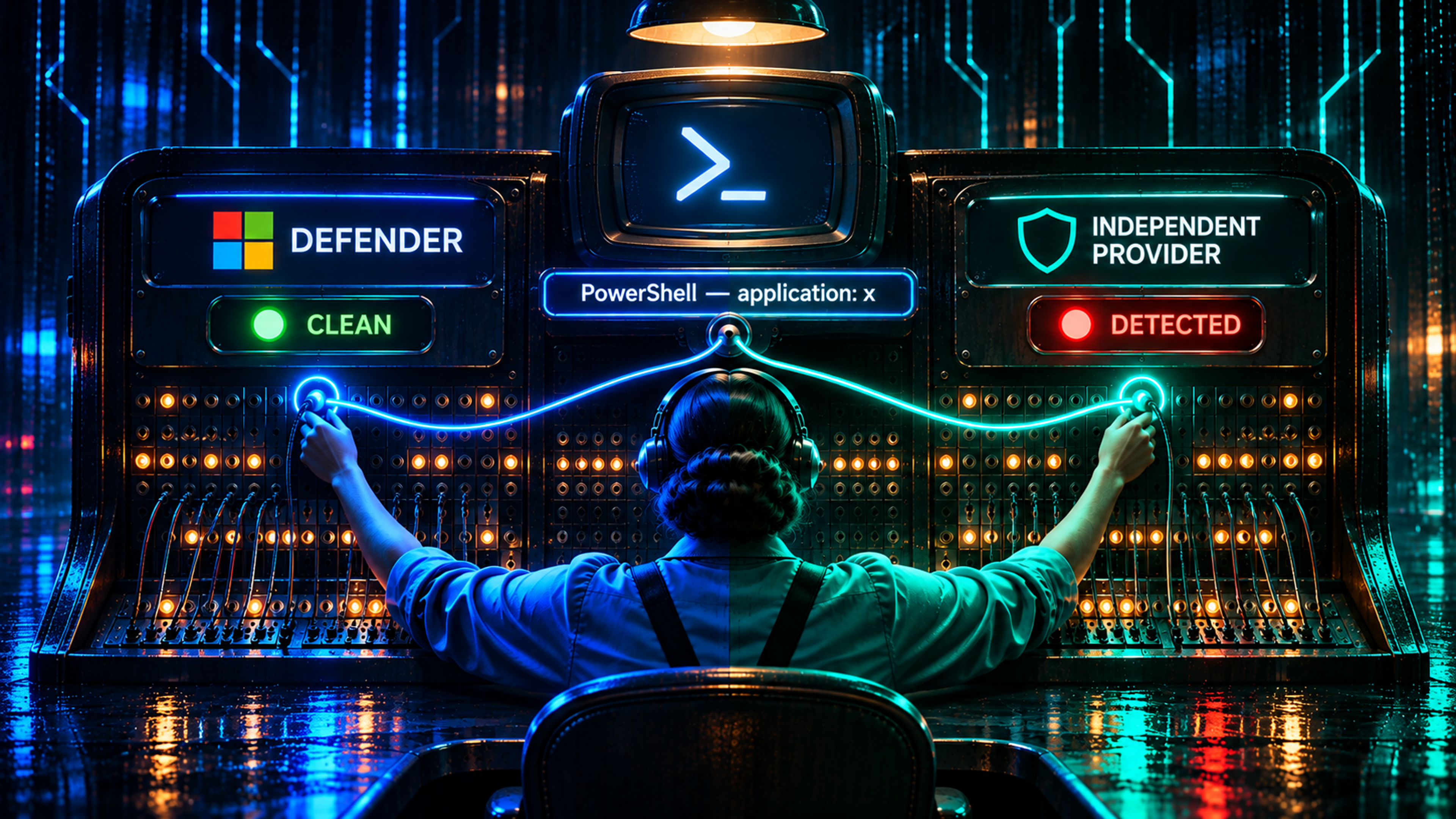
I read Shedskin and wanted to know what it meant for our own AMSI provider. The research describes changing the application name attached to PowerShell scans so Microsoft Defender takes a different route through its signature packs, an AMSI bypass detection problem that affects one provider, not necessarily all of them.
If that works against Defender, does our provider lose the script too?
We put the MagicSword agent + AMSI provider on a fresh Windows instance and tested it. After changing PowerShell’s AMSI application name to x, MagicSword still inspected the harmless test script and recorded rule matches. Native scans in block mode also retained their blocking verdicts under generic changed names.
That gives us a useful answer: the Defender-specific signature-routing change tested here did not stop our independent provider from inspecting the script.
Follow the scan into the provider
AMSI gives applications a way to submit content to antimalware providers. PowerShell supplies the script and metadata. Windows dispatches the scan through AMSI, and a provider implements its own inspection through IAntimalwareProvider::Scan. Microsoft’s AMSI overview and provider contract describe that boundary.
Defender’s provider takes the content into Microsoft’s engine. MagicAmsi has its own scan implementation and local rules. The application name can reach both, but each implementation decides what to do with it.

The diagram shows the implementation paths. It does not imply parallel execution or a guaranteed provider order. AMSI processing can short-circuit, so a final scan result alone cannot establish which providers read the content.
Shedskin follows the Defender path through MpOav, MsMpEng, and mpengine. The reported application-name change affects host-dependent signature-pack selection inside that path. On the researched builds, an unfamiliar name can change which signatures apply. Signatures shared across routes can still match, and the author documents measurement caveats and revisions to earlier conclusions. Read the original mechanism and updates.
That leaves a concrete question for an independent provider: when the application name changes, does its own scan implementation still read the buffer and evaluate its rules?
Change the name and keep the content
We tested with a policy that supplied 238 AMSI rules, a severity threshold of 8, and Microsoft deferral enabled. Defender remained enabled throughout the substantive tests.
The fixture was deliberately small:
function Invoke-Mimikatz { $x = 'sekurlsa::logonpasswords' }
Write-Output 'AMSI-LAB-INERT-SENTINEL-1102'
The function was never called. There was no Mimikatz payload, credential access, or exfiltration. The suspicious identifiers gave the rules something recognizable to inspect, and the printed marker let us observe execution.
We changed the AMSI context in a real powershell.exe process so the application name became x. MagicAmsi recorded six local rule matches against that exact content. The script ran because this part of the test used audit mode.
A second run under SYSTEM produced the same six local matches. Its portal event gives us the useful correlation: application x, process ID 3044, the test content, and the endpoint msamsi1102.

We also checked the content hash. The event’s UTF-8 SHA-256 was:
44637ab268cc8aebef71f0e8252a600be7c2aa583c0aad6fd0373450296a2927

The changed name reached the provider. The content still got inspected.
Check the verdict as well as the event
Audit telemetry answers whether we saw the content. To check the verdict, we temporarily switched the local setting from audit to block, keeping the same rules, threshold, and Microsoft deferral.
We compared normal and generic changed application names against four inert content samples in both audit and block modes. The tests used direct calls to our registered provider and aggregate Windows AMSI calls, with a fresh provider or context for each case.
Direct calls let us record which stream attributes our provider requested. With the normal name and tested generic alternatives, including x, it requested the content size and address as well as the metadata. That supplied evidence of content access beyond an aggregate verdict.
| Test | Result |
|---|---|
| Positive fixtures with normal and generic changed names in block mode | Direct and aggregate scans returned 32768, AMSI_RESULT_DETECTED |
| Benign and below-threshold controls in block mode | No malicious verdict |
For these normal-name and generic-name comparisons, the positive results followed the content: recognizable test text produced a detection verdict, while benign and below-threshold controls did not.
The native calls established blocking verdicts for the tested content. The real PowerShell runs established inspection and detection in audit mode; they were not a test of PowerShell execution prevention in block mode.
Inspect the providers on your Windows endpoint
That brings us to the practical question: what AMSI providers are registered on your own endpoints? Before testing how a provider handles a changed application name, find the component you expect to inspect the script.
Start with the registry. AMSI provider entries identify the COM classes Windows can load as scanners. These read-only commands query both registry views on 64-bit Windows:
reg query "HKLM\SOFTWARE\Microsoft\AMSI\Providers" /s /reg:64
reg query "HKLM\SOFTWARE\Microsoft\AMSI\Providers" /s /reg:32
Look for subkeys named with a GUID in braces, such as {aaaaaaaa-0000-1111-2222-bbbbbbbbbbbb}. That is the provider’s class identifier, or CLSID. Follow it to the matching COM registration; the default value under InprocServer32 gives the DLL path. Replace {CLSID} below with the full identifier you found, including the braces:
reg query "HKLM\SOFTWARE\Classes\CLSID\{CLSID}\InprocServer32" /ve /reg:64
# Use /reg:32 for an entry found in the 32-bit view.
Keep the registry view consistent: an entry found with /reg:32 needs its COM lookup in that same view. Microsoft documents the registration locations in its provider registration guide.
For more than a quick lookup, the PowerShell script below joins the registrations to their DLL paths across both views. It returns the view, any label stored on the provider key, the CLSID, and the DLL mapping:
foreach ($view in @('Registry64', 'Registry32')) {
    $hive = [Microsoft.Win32.RegistryKey]::OpenBaseKey(
        [Microsoft.Win32.RegistryHive]::LocalMachine,
        [Microsoft.Win32.RegistryView]::$view)
    $providers = $null
    try {
        $providers = $hive.OpenSubKey('SOFTWARE\Microsoft\AMSI\Providers')
        if ($null -eq $providers) { continue }
        foreach ($clsid in $providers.GetSubKeyNames()) {
            $provider = $providers.OpenSubKey($clsid)
            $server = $hive.OpenSubKey("SOFTWARE\Classes\CLSID\$clsid\InprocServer32")
            try {
                [pscustomobject]@{
                    View = $view
                    Provider = $provider.GetValue('')
                    CLSID = $clsid
                    DLL = if ($server) {
                        $server.GetValue('', $null,
                            [Microsoft.Win32.RegistryValueOptions]::DoNotExpandEnvironmentNames)
                    } else { $null }
                }
            } finally {
                if ($server) { $server.Dispose() }
                $provider.Dispose()
            }
        }
    } finally {
        if ($providers) { $providers.Dispose() }
        $hive.Dispose()
    }
}
Use the CLSID and DLL path to identify each entry; the registry label may be blank. The DLL column preserves environment-variable references such as %ProgramFiles%. Resolve the path for the matching architecture, then check the file’s publisher and version against the expected installation:
# Set this to the resolved DLL path from the inventory.
$providerDll = 'C:\Path\To\Provider.dll'
Get-AuthenticodeSignature -LiteralPath $providerDll |
    Select-Object Status, @{Name='Signer';Expression={$_.SignerCertificate.Subject}}
(Get-Item -LiteralPath $providerDll).VersionInfo |
    Select-Object CompanyName, ProductName, FileVersion
At this point, you have an inventory of registrations. To check whether a provider actually inspected a script, use a harmless sample that its configured rules are expected to match. Run it through the host you care about and look for the provider’s own event, tying it to the process and test content as we did above.
A registration alone does not establish that the DLL loaded or received a scan. An event can establish inspection; if you are testing prevention, also confirm the verdict and whether the host stopped execution. Those are separate checks, and our audit-mode PowerShell run illustrates why.
Keep the application name and provider identity separate
| Name or identifier | What it describes | What changing it means |
|---|---|---|
| Scan application name | Caller metadata supplied to AMSI, such as PowerShell’s host identity | Can influence a provider’s analysis choices; this is the metadata involved in Shedskin. |
| Provider display name | A name returned by the provider to identify the scanner | A label change alone does not establish a change in inspection. |
| Provider CLSID and DLL mapping | The registration Windows uses to instantiate the scanning component | Registration changes can affect loading and require a separate tampering and recovery test. |
The names in the inventory identify the scanning component. The application name changed in our lab was metadata attached to the scan. Keeping those separate helps you test the behavior this post is about: whether an existing provider still inspects the same content when that caller metadata changes.
What this means for independent AMSI coverage
A provider with its own inspection can retain coverage when a Defender-specific routing change alters Microsoft’s analysis. Our changed-context PowerShell events showed continued inspection, and the native scans returned blocking verdicts in the tested configuration.
For defenders, ask what the bypass changes. Does the script still reach AMSI? Does the independent provider read it? What verdict does that provider return, and can the event reach your console?
In this lab, changing the application name to x preserved MagicSword’s script inspection, and the native comparisons retained blocking verdicts under the tested generic names. Independent inspection gave us coverage beyond the Defender-specific routing decision.
Want to see what an independent provider actually catches on your endpoints? MagicSword is free for up to 100 endpoints.

Written by
Michael Haag
Threat Researcher
In the intricate chessboard of cybersecurity, my role oscillates between a master tactician and a relentless hunter. As an expert in detection engineering and threat hunting, I don't just respond to the digital threats, I anticipate them, ensuring that the digital realm remains sovereign.


